
Your LinkedIn profile is often the first stop a recruiter, hiring manager, or potential collaborator makes before deciding to connect. In today’s digital-first job market, taking a LinkedIn photo isn’t just a nice-to-have for your profile, but a foundational part of your professional presence. It’s essential to have a photo that portrays you as the expert in your field, not as a fake profile.

You might wonder, Is it better to have an unprofessional photo or none at all? What is a good vs bad LinkedIn photo? Here’s the honest truth: a clean, thoughtful, well-lit DIY (do-it-yourself) photo is always better than no photo at all. A profile without a photo can feel incomplete or even raise doubts about credibility.
But don’t worry. You don’t need an expensive ring light, DSLR camera, or professional photographer to show up confidently. With a bit of intention and your smartphone, you can create a polished photo that helps you stand out, without stepping outside your comfort zone.
By the end of this read, you’ll know why your LinkedIn profile matters and how it’s different than a resume, examples of good vs bad LinkedIn photos, how to take a professional photo of yourself with your phone, how introverts can leverage a photo as low-pressure visibility, LinkedIn photo specifications and why is better to have a photo than none at all.
Table of Contents
Why Taking a LinkedIn Photo Matters (And Why It’s Different from a Resume)
Your LinkedIn profile is more than just a digital resume; it’s your personal brand in action. Your photo is the first visual cue people use to assess the brand.
Why Your LinkedIn Photo Matters
Your photo signals that you’re real, approachable, and professional. It humanizes your experience and helps people feel a connection before they’ve even read your headline. Especially in remote or hybrid workplaces, that image may be your first introduction to a potential employer, and they may not get to meet you in person for an interview.
Why Resumes Don’t Include Photos But LinkedIn Does
In North America and many parts of Europe, photos are not included on resumes to avoid unconscious bias in the hiring process. But LinkedIn is a different platform. It’s a networking tool and search engine at its core, not an application tracking system (ATS). Recruiters use LinkedIn to find and attract candidates, and they expect to see your face because LinkedIn is where relationship-building starts.
No Photo? Here’s What Recruiters Think
When your profile is missing a photo, recruiters may wonder:
- Is this person active on LinkedIn?
- Are they serious about their job search?
- Is this a real profile?
It’s not just about looks; it’s about trust and credibility. A simple, well-lit, professional-looking image can make your profile feel complete and confident. And no, it doesn’t need to be studio quality to have an impact.

Good vs Bad LinkedIn Photos: What to Avoid, What to Aim For
Your photo doesn’t need to be perfect, but it should feel intentional. Knowing the difference between a good vs bad LinkedIn photo can help you avoid common pitfalls and show up with confidence.
What Makes a “Bad” LinkedIn Photo?
These are the most common mistakes that can unintentionally send the wrong message:
- Passport-style photos: These look stiff and emotionless. Save them for official documents, not your personal brand.
- Black-and-white filters: While artistic, they can make your profile feel dated or overly serious. Color adds warmth.
- Poor lighting or cluttered backgrounds: Shadows, messy rooms, or dark corners make it hard to see you clearly.
- Selfies from awkward angles: A photo taken from below your chin or at arm’s length in your car doesn’t read “professional.”
What Makes a “Good” LinkedIn Photo?
You don’t need a professional photographer, just clarity, confidence, and care. Here’s what works:
- Clear, friendly expression: A natural smile or relaxed neutral face builds approachability. Avoid an overly serious or passport-style pose.
- Neutral background: A plain wall, park, or simple home setup keeps the focus on you. Avoid a white wall with a plain white t-shirt or top.
- Proper framing: Head and shoulders in the center of the frame, with some space above your head. Avoid leaving more background in the image than your head and neck.
- Industry-appropriate attire: Dress as you would for a casual interview or day on the job. Avoid a conservative business suit if no one in your industry wears one, but still opt for professional attire.
Pro tip: Your photo should look like you on a good day at work, not at a wedding, not on vacation, and not cropped from a group photo. A little effort goes a long way toward trust, connection, and visibility.

How to Take a Professional Photo of Yourself Using Just Your Phone
You don’t need a ring light, DSLR camera, or professional photographer to get a strong LinkedIn photo. With a little planning and your smartphone, you can take a clean, credible image that elevates your online presence.
Here’s how to take a professional photo of yourself at home.
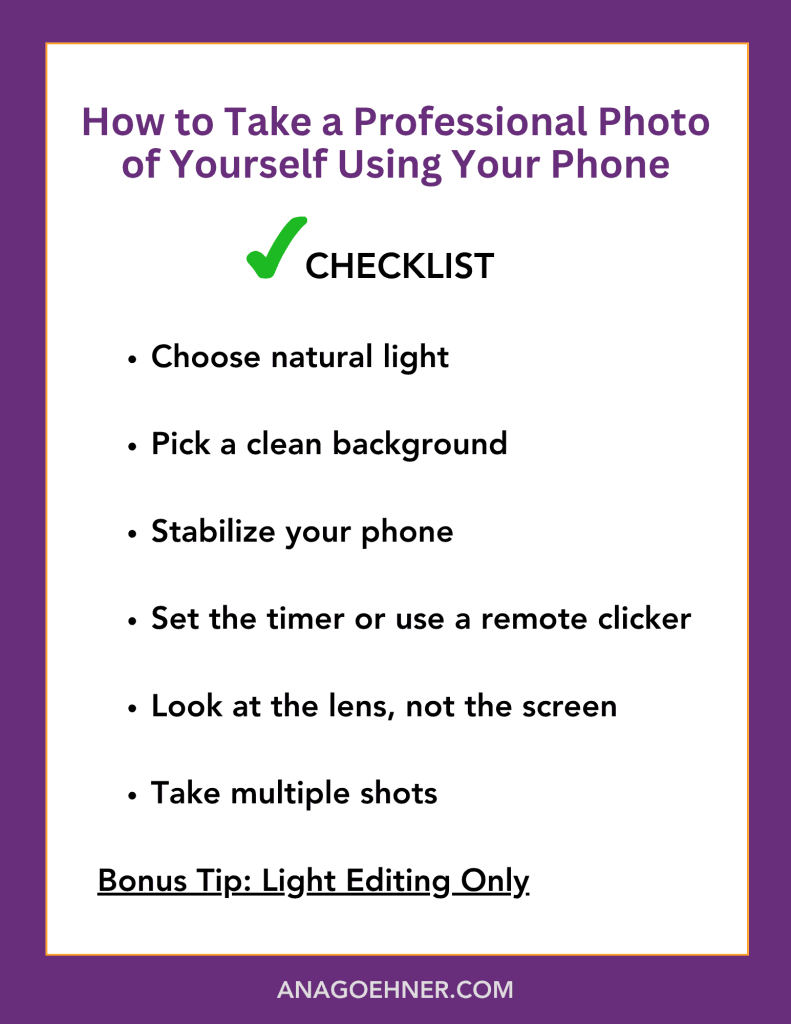
Step-by-Step Guide to Your DIY LinkedIn Photo
- Choose natural light
Stand near a window with soft, even daylight. Avoid direct sunlight or harsh overhead lighting, which can cause shadows. - Pick a clean background
A plain wall, neutral curtain, bookshelf, or outdoor greenery works well. The key is to keep distractions to a minimum. - Stabilize your phone
Use a tripod, a stack of books, or a sturdy shelf to hold your phone. Place it at eye level for the most flattering angle. - Set the timer or use a remote clicker
This frees up your hands and avoids that telltale “selfie arm.” Most phones have a 3- or 10-second timer in the camera settings. - Look at the lens, not the screen
This helps you appear more engaged and present in the final photo. Practice a natural, relaxed expression. - Take multiple shots
Experiment with posture, smiles, and angles. Don’t settle for the first photo; give yourself options.
Bonus Tip: Light Editing Only
Use your phone’s built-in editing tools or a free app like Snapseed or Lightroom. Brighten the image, adjust contrast, and sharpen slightly, but skip the heavy filters. You want to look like you.
With 10–15 minutes and some thoughtful prep, you can capture a photo that feels professional, approachable, and aligned with the brand you’re building on LinkedIn.
The Introvert Advantage: Low-Pressure Visibility
Taking this photo doesn’t mean stepping out of character. It means aligning with your values, goals, and presence.
This is your permission slip to show up on LinkedIn on your terms—one small, low-pressure way to be seen without feeling exposed.
If you’re an introvert, the idea of putting your photo online might feel… uncomfortable. You’re not alone.
But here’s the truth: a thoughtful LinkedIn photo doesn’t require you to look outgoing or loud; it just needs to reflect who you are.
Quiet Confidence Speaks Volumes
Your photo doesn’t need to scream “extrovert.” It can quietly signal:
- Approachability through a gentle smile
- Professionalism through clean framing and attire
- Confidence through eye contact with the camera
This is about presence, not performance.
Let Your Photo Do the Talking
When you’d rather not be the loudest voice in the room, a clear, polished LinkedIn photo does a bit of the heavy lifting for you.
It says: I’m here. I’m capable. I’m ready. All without you having to overexplain or overshare.

Photo Specs and Tech Details You Should Know
Even if you’re not tech-savvy, these tools are user-friendly and make a big difference in the final result.
Getting the tech right is the final touch that brings all your effort together. It’s like ironing your shirt before a big meeting; people may not notice the extra effort, but they will notice when it’s missing.
Before you upload, ensure your photo is sharp and meets LinkedIn’s technical requirements. These small details help your photo appear polished and professional.
Recommended Size and Format
- Minimum size: 400 x 400 pixels
- Ideal shape: Square crop (LinkedIn displays it as a circle)
- File type: JPG or PNG
Avoid low-resolution or overly compressed images. They can make even the best photo look blurry or pixelated.
Framing Tips
- Include your head and shoulders in the shot. Think “friendly professional.”
- Leave a little space above your head so it doesn’t look crowded
- Eyes should be level with the top third of the frame
This classic composition works across industries and feels balanced on screen.
Use LinkedIn’s Built-In Tools
Once you upload your photo, LinkedIn lets you:
- Crop to center your face
- Adjust brightness and contrast
- Add subtle filters (use sparingly—aim for natural)

Still Debating? Here’s Why Something Is Better Than Nothing
Let’s come back to the question many professionals quietly wrestle with:
“Is it better to have an ‘unprofessional’ photo or none at all?”
Here’s the truth: a clean, intentional photo you took yourself is always better than no photo at all.
Why a Blank Avatar Works Against You
When you don’t have a photo, your profile feels incomplete, like a résumé without a name.
- It can come across as outdated or disengaged.
- Recruiters may assume your profile is inactive.
- People connect faster with faces. It’s human nature.
Even if you’re highly qualified, a missing photo subtly undermines your credibility.
What “Good Enough” Can Look Like
You don’t need a studio or expensive lighting. These DIY options can absolutely work:
- A photo taken by a friend against a blank wall, near a window
- A self-timer shot outdoors with even lighting and a calm background
- A smiling head-and-shoulders image in work-appropriate clothing
All of these say: “I care. I show up. You can trust me.”
Showing up online can feel vulnerable. But your photo doesn’t have to be perfect; it just has to be present. This is one small but powerful move toward visibility on your own terms. You’ve got this.

Frequently Asked Questions
Is it really necessary to have a LinkedIn photo? What if I’m uncomfortable sharing my picture online?
While it’s understandable to feel hesitant, having a LinkedIn photo significantly increases your profile views and helps build trust with recruiters. A clear, professional photo makes you appear approachable and credible. If you’re uncomfortable, start with a simple, natural-looking image that feels authentic to you; no need for anything flashy.
Can I just use a selfie as my LinkedIn profile photo?
It’s best to avoid casual selfies because they often have awkward angles, poor lighting, or distracting backgrounds. However, you can take a professional-looking photo with your smartphone; follow simple tips such as using natural light, a clean background, and a tripod or a stable surface for better framing.
What should I avoid in a LinkedIn photo?
Avoid passport-style photos, black-and-white filters, cluttered or busy backgrounds, and overly casual attire. Also, avoid photos with harsh lighting or distracting elements. Your goal is a clear, friendly, approachable image that aligns with your professional brand.
What size and format should my LinkedIn photo be?
LinkedIn recommends a square photo at least 400 x 400 pixels. Use JPG or PNG formats for the best quality. LinkedIn’s built-in cropping and adjusting tools help you position your head and shoulders perfectly within the frame.
RELATED POST: What Recruiters Search for on Your LinkedIn Profile (And How to Show Up)

Ana Goehner
Career Coach & strategist
Conclusion
You don’t need studio lights or a professional photographer to look professional on LinkedIn. With just 15 minutes, some natural light, and your smartphone, you can create a polished photo that boosts your visibility and confidence.
Taking this small step helps you stand out quietly and authentically, on your terms, making a meaningful difference in your job search presence. Your profile photo is your digital handshake; make it count without the pressure to be perfect.
Have you ever used your phone to take a professional LinkedIn profile photo? Let me know in the comments.
Here are some resources:
- What Recruiters Search for on Your LinkedIn Profile (And How to Show Up)
- How to Start a Job Search (and Thrive) as an Introverted Professional
- Savvy LinkedIn Networking Strategies to Boost Your Career
- LinkedIn Open to Work Banner: Is It Good or Bad for Your Career?
- Beginning a Job Search: How to Gain Clarity and Navigate the Process with Confidence
- The Ultimate LinkedIn Checklist for Passive Job Seekers
- How to Create a Target Company List for a Strategic Job Search
- Transform Your Job Search: The Power of Interview Preparation Coaching
- You Deserve to Be Seen: How the Right LinkedIn Job Title Gets You Found





Leave a Reply